
Category: Tech For Good

  • Discover the Top 10 Technologies You Need to Learn in 2023!

    Discover the Top 10 Technologies You Need to Learn in 2023!

    Are you looking for the most important technologies to learn in 2023? As technology advances rapidly, staying up to date with the latest trends can be tricky. In this blog article, we will explore the top 10 technologies you need to learn in 2023 to stay ahead of the curve.

    Introduction

    The world of technology is constantly changing, and with it, the skills we need to stay competitive in the workplace. As technology evolves, so do the skills required to stay ahead in the job market. From artificial intelligence and machine learning to blockchain technology and cybersecurity, the list of important technologies you need to learn in 2023 is vast.

    To help you stay up to date, we’ve created a comprehensive list of the top 10 technologies you need to learn in 2023. With this list, you’ll be well-equipped to stay competitive in the job market and make the most of the opportunities available in the ever-evolving world of technology.

    What are the Top 10 Technologies You Need to Learn in 2023?

    1. Artificial Intelligence and Machine Learning
    2. Internet of Things (IoT)
    3. Data Science
    4. Process Automation
    5. Emerging Technologies
    6. Virtual Reality
    7. Cloud Computing
    8. Blockchain Technology
    9. Cybersecurity
    10. Robotics

    Artificial Intelligence and Machine Learning

    Artificial intelligence and machine learning are two of the most important technologies you need to learn in 2023. AI and machine learning are used to automate tasks and processes, and they are becoming increasingly important in a wide range of industries, from healthcare and finance to retail and automotive.

    In order to stay competitive in the job market, it’s important to have a good understanding of AI and machine learning. Learning how to program and use AI and machine learning tools is a great way to stay ahead of the curve.

    Internet of Things (IoT)

    The Internet of Things (IoT) is another important technology you need to learn in 2023. IoT is a network of interconnected devices that are able to exchange data in real time. This technology is used to create smarter, more efficient, and more secure systems, and it has the potential to revolutionize the way we interact with the world around us.

    Learning how to program and use IoT tools is essential for staying ahead in the job market. Additionally, it’s important to understand how IoT can be used to create smarter, more efficient, and more secure systems.

    Data Science

    Data science is another important technology you need to learn in 2023. Data science is the process of extracting insights from large amounts of data. It involves collecting data, analyzing it, and using it to make decisions.

    In order to stay competitive in the job market, it’s important to have a good understanding of data science. Learning how to use data science tools is a great way to stay ahead of the curve. Additionally, understanding the ethical implications of data science is essential for staying ahead in the job market.

    Process Automation

    Process automation is another important technology you need to learn in 2023. Process automation is the use of technology to automate repetitive tasks and processes. This technology is used to increase efficiency and reduce costs, and it is becoming increasingly important in a wide range of industries.

    In order to stay competitive in the job market, it’s important to have a good understanding of process automation. Learning how to use process automation tools is a great way to stay ahead of the curve. Additionally, understanding the ethical implications of process automation is essential for staying ahead in the job market.

    Emerging Technologies

    Emerging technologies are another important technology you need to learn in 2023. Emerging technologies are technologies that are in the early stages of development and have the potential to become widely used in the future. Examples of emerging technologies include quantum computing, 5G networks, and autonomous vehicles.

    In order to stay competitive in the job market, it’s important to have a good understanding of emerging technologies. Learning how to use emerging technologies is a great way to stay ahead of the curve. Additionally, understanding the ethical implications of emerging technologies is essential for staying ahead in the job market.

    Virtual Reality

    Virtual reality (VR) is another important technology you need to learn in 2023. VR is a technology that allows users to experience a simulated environment in real time. It is becoming increasingly popular in a wide range of industries, from gaming and entertainment to healthcare and education.

    In order to stay competitive in the job market, it’s important to have a good understanding of virtual reality. Learning how to use VR tools is a great way to stay ahead of the curve. Additionally, understanding the ethical implications of VR is essential for staying ahead in the job market.

    Cloud Computing

    Cloud computing is another important technology you need to learn in 2023. Cloud computing is the use of remote servers to store and process data. It is becoming increasingly popular in a wide range of industries, from finance and healthcare to retail and entertainment.

    In order to stay competitive in the job market, it’s important to have a good understanding of cloud computing. Learning how to use cloud computing tools is a great way to stay ahead of the curve. Additionally, understanding the ethical implications of cloud computing is essential for staying ahead in the job market.

    Blockchain Technology

    Blockchain technology is another important technology you need to learn in 2023. Blockchain is a distributed ledger technology that is used to record and store data in a secure and immutable way. It is becoming increasingly popular in a wide range of industries, from finance and healthcare to retail and entertainment.

    In order to stay competitive in the job market, it’s important to have a good understanding of blockchain technology. Learning how to use blockchain tools is a great way to stay ahead of the curve. Additionally, understanding the ethical implications of blockchain is essential for staying ahead in the job market.

    Cybersecurity

    Cybersecurity is another important technology you need to learn in 2023. Cybersecurity is the practice of protecting networks, systems, and data from unauthorized access, use, or destruction. It is becoming increasingly important in a wide range of industries, from finance and healthcare to retail and entertainment.

    In order to stay competitive in the job market, it’s important to have a good understanding of cybersecurity. Learning how to use cybersecurity tools is a great way to stay ahead of the curve. Additionally, understanding the ethical implications of cybersecurity is essential for staying ahead in the job market.

    Conclusion

    In conclusion, staying up to date with the latest technologies is essential for staying competitive in the job market. This blog article explored the top 10 technologies you need to learn in 2023 to stay ahead of the curve. From artificial intelligence and machine learning to blockchain technology and cybersecurity, this list will help you stay up to date with the latest trends and make the most of the opportunities available in the ever-evolving world of technology.

    Are you ready to get started? Start learning these top 10 technologies today and you’ll be well-equipped to stay ahead in the job market and make the most of the opportunities available in the ever-evolving world of technology.

  • Discover the Power of the Levo PA71 Power Bank – Our Review!

    Discover the Power of the Levo PA71 Power Bank – Our Review!

    If you’re looking for a powerful, portable, and convenient power bank, then you should look no further than the Levo PA71. This sleek and stylish power bank is designed to keep your devices fully charged on the go. It’s perfect for those who lead an active lifestyle and need to stay connected wherever they go. In this review, we’ll be taking a closer look at the features and benefits of the Levo PA71, as well as its design, battery life, compatibility, and price. Read on to find out more about this amazing power bank!

    Introduction to the Levo PA71 Power Bank

    The Levo PA71 is a powerful and portable power bank that can keep your devices charged and ready to go, no matter where you are. The all-in-one design of the Levo PA71 allows you to charge your devices quickly and easily, with no need for extra cables or adapters. With a powerful 7,000 mAh battery, the Levo PA71 can keep your devices charged for up to four days. It’s perfect for those who lead an active lifestyle and need to stay connected wherever they go.

    Read:

    Features and Benefits of the Levo PA71

    The Levo PA71 is packed with features that make it the perfect power bank for those on the go. It’s designed with an all-in-one design that allows you to charge your devices quickly and easily, without the need for extra cables or adapters. The Levo PA71 is also designed with a powerful 7,000 mAh battery that can keep your devices charged for up to four days.

    The Levo PA71 also features a range of safety features to ensure your devices are kept safe while charging. It’s designed with an intelligent power management system that detects the power needs of your device and adjusts the power output accordingly. This ensures your device is charged safely and efficiently. It also features a range of protection features, such as short-circuit protection, over-charge protection, and over-discharge protection.

    The Levo PA71 is also designed with a range of convenience features. It features a USB-C port and two USB ports, so you can charge multiple devices at once. It also features fast charging technology, so your devices can be charged quickly and efficiently. The Levo PA71 also features a built-in LCD display, so you can keep track of your power levels at a glance.

    Design and Build Quality

    The Levo PA71 is designed to be sleek and stylish. It’s made from a durable, lightweight plastic that is both durable and comfortable to hold. The design of the Levo PA71 is also sleek and modern, with a range of vibrant colors to choose from.

    The Levo PA71 also features a range of convenience features. It has a built-in LCD display that keeps you informed of your power levels at a glance. It also features a range of buttons and ports, including a USB-C port and two USB ports. The Levo PA71 also features an LED indicator light that shows you when it’s charging and when it’s full.

    Battery Life and Charging Capacity

    The Levo PA71 is designed with a powerful 7,000 mAh battery that can keep your devices charged for up to four days. The Levo PA71 also features fast charging technology, so your devices can be charged quickly and efficiently. The Levo PA71 is also designed with an intelligent power management system that detects the power needs of your device and adjusts the power output accordingly. This ensures your device is charged safely and efficiently.

    Compatibility

    The Levo PA71 is compatible with a wide range of devices, including smartphones, tablets, and laptops. It’s also compatible with a range of operating systems, including Android, iOS, Windows, and MacOS.

    Pros and Cons of the Levo PA71

    The Levo PA71 is a powerful and convenient power bank that is perfect for those who lead an active lifestyle and need to stay connected wherever they go. Here are some of the pros and cons of the Levo PA71:

    Pros: – Powerful 7,000 mAh battery – Fast charging technology – Intelligent power management system – Compatible with a range of devices – Sleek and stylish design – Durable and lightweight – Built-in LCD display

    Cons: – Not waterproof – No wireless charging capability

    Price and Availability

    The Levo PA71 is available for purchase online and in select stores. The price of the Levo PA71 is around $50, making it an affordable option for those on a budget.

    Verdict

    Overall, the Levo PA71 is an excellent power bank that is perfect for those who lead an active lifestyle and need to stay connected wherever they go. It’s designed with a powerful 7,000 mAh battery, fast charging technology, and an intelligent power management system. It’s also compatible with a range of devices and operating systems. The Levo PA71 is also affordable, making it a great option for those on a budget.

    Conclusion

    The Levo PA71 is an excellent power bank that is perfect for those who lead an active lifestyle and need to stay connected wherever they go. It’s designed with a powerful 7,000 mAh battery, fast charging technology, and an intelligent power management system. It’s also compatible with a range of devices and operating systems. The Levo PA71 is also affordable, making it a great option for those on a budget.

    If you’re looking for an affordable, powerful, and convenient power bank, then you should look no further than the Levo PA71. It’s perfect for those who lead an active lifestyle and need to stay connected wherever they go. So, what are you waiting for? Get your hands on the Levo PA71 power bank today!

  • The Amazing Imac Pro i7 4K: A Review You Don’t Want to Miss!

    The Amazing Imac Pro i7 4K: A Review You Don’t Want to Miss!

    As an Apple fan, I’m always excited to review the latest products they release. This time, I’m taking a look at the new Imac Pro i7 4K. This all-in-one desktop has been getting a lot of buzz lately, so I thought I’d give it a closer look.

    Introduction

    The Imac Pro i7 4K is the latest iteration of Apple’s all-in-one desktop line. It is powered by the 8th generation Intel Core i7 processor, has a beautiful 4K Retina display, and is packed with features. It’s also the first Imac to come with up to 64GB of RAM and up to 4TB of SSD storage.

    It’s designed to be the ultimate productivity machine. It’s perfect for professionals who need a powerful and reliable computer to get their work done. With the ability to connect to up to four external displays and featuring an impressive array of ports, the Imac is the perfect machine for any creative or business-minded user.

    Design and Features

    It’s a sleek and stylish machine. It features an all aluminum body with a thin profile and a beautiful 4K Retina display. It also comes with a suite of features including a built-in camera and microphone, four USB-C ports, two Thunderbolt ports, and a headphone jack.

    The Imac also comes with the latest version of macOS, which is designed to take full advantage of the powerful hardware. With macOS, you can use the built-in apps and services to get work done, as well as access a wide range of third-party apps.

    Performance

    The Imac Pro i7 4K is powered by the 8th generation Intel Core i7 processor and up to 64GB of RAM. This makes it one of the most powerful all-in-one desktops on the market. With this power, you can run multiple applications and process large amounts of data without any lag or slowdown.

    The Imac also features an impressive graphics card. The AMD Radeon Pro Vega graphics card is capable of handling intensive tasks such as video editing and 3D rendering. This makes the Imac Pro the perfect machine for any creative professional.

    Display

    The Imac features a beautiful 4K Retina display. This display is perfect for viewing photos and videos in stunning detail. It also has excellent viewing angles and color accuracy, making it great for editing photos and videos.

    It also features True Tone technology, which automatically adjusts the display to match the ambient light. This makes it easier on the eyes when working for long periods of time.

    Read  Bringing Light to the Future: Exploring the Benefits of Tech Lighting.

    Battery Life

    The Imac Pro i7 4K comes with a built-in battery that can last up to 10 hours on a single charge. This is great for those times when you need to take the Imac Pro i7 4K with you but don’t have access to a power outlet.

    The battery is also capable of fast charging, so you can get up to 50% charge in just 30 minutes. This is great for those times when you need to get some work done in a hurry.

    Price and Availability

    The Imac Pro i7 4K is available now and starts at $2,799. This is an expensive machine, but it’s worth it if you need a powerful and reliable all-in-one desktop.

    It is available from Apple and from authorized resellers. It’s also available from online retailers such as Amazon and Best Buy.

    Pros and Cons

    Let’s take a look at the pros and cons of the Imac Pro i7 4K.

    Pros:

    • Powerful 8th generation Intel Core i7 processor
    • Beautiful 4K Retina display
    • Up to 64GB of RAM
    • Up to 4TB of SSD storage
    • Built-in camera and microphone
    • Four USB-C ports
    • Two Thunderbolt ports
    • Headphone jack
    • Up to 10 hours of battery life
    • Fast charging

    Cons:

    • Expensive
    • No touch screen
    • Limited expandability

    Final Verdict

    Overall, the Imac Pro i7 4K is an impressive machine. It’s powerful, reliable, and packed with features. It’s also expensive, but it’s worth it if you need a powerful and reliable all-in-one desktop.

    The Imac is perfect for professionals who need a powerful machine to get their work done. It’s also great for creative professionals who need a machine that can handle intensive tasks such as video editing and 3D rendering.

    If you’re looking for an all-in-one desktop that is powerful and reliable, then the Imac Pro i7 4K is definitely worth a look.

    Conclusion

    The Imac Pro i7 4K is an impressive machine. It’s powerful, reliable, and packed with features. It’s also expensive, but it’s worth it if you need a powerful and reliable all-in-one desktop.

    If you’re looking for an all-in-one desktop that is powerful and reliable, then is definitely worth a look. With its 8th generation Intel Core i7 processor, beautiful 4K Retina display, and impressive array of ports and features,  is the perfect machine for any creative or business-minded user.

  • Bringing Light to the Future: Exploring the Benefits of Tech Lighting

    Bringing Light to the Future: Exploring the Benefits of Tech Lighting

    Technology has taken the world by storm and has made tremendous strides in all areas, from the way we communicate to the way we navigate the world. One area that has seen tremendous progress is lighting. Tech lighting is at the forefront of lighting technology and has revolutionized the way we experience light in our homes, offices, and other places. In this blog article, we will take a closer look at what tech lighting is, explore its benefits, and share tips for choosing and maintaining tech lighting.

    Introduction to Tech Lighting

    Tech lighting is a modern type of lighting that uses advanced technology to provide a unique, interactive experience. It uses LED bulbs and other advanced components to create an immersive lighting experience. Unlike traditional lighting, tech lighting can be controlled remotely, allowing you to change the color, brightness, and intensity of the light. It can also be programmed to respond to environmental changes, such as when there is movement in the room or when the sun sets.

    Lighting Mistakes | Common Lighting Problems To Avoid | BetechIT

    Tech lighting is becoming increasingly popular in both residential and commercial spaces. It is energy efficient, cost effective, and provides a high-tech look to any space. It can be used to create a unique atmosphere and to enhance the aesthetics of any space.

    Benefits of Tech Lighting

    There are many benefits of tech lighting, both practical and aesthetic. Here are some of the main benefits of tech lighting:

    • Energy Efficiency: Tech lighting is extremely energy efficient, which can help reduce your energy bill and your carbon footprint. LED bulbs are used in tech lighting, which use up to 80% less energy than traditional lighting.
    • Cost Effective: Tech lighting is cost effective in the long run, as it requires less maintenance and lasts longer than traditional lighting. LED bulbs last up to 25 times longer than traditional bulbs, which means you won’t need to replace them as often.
    • Versatile: Tech lighting is highly versatile and can be used in a variety of applications. It can be used indoors and outdoors, and in residential and commercial spaces. It can also be used to create different lighting effects, such as dimming or changing the color of the light.
    • Customizable: Tech lighting is highly customizable and can be programmed to respond to environmental changes or to create different lighting effects. This allows you to tailor the lighting experience to your exact needs.
    • Safe: Tech lighting is safe to use, as it does not emit any harmful UV rays or heat. It also does not require any special wiring or installation, which makes it easy to install and use.

    Types of Tech Lighting

    There are many different types of tech lighting available on the market. Here are some of the most popular types:

    • LED Lights: LED lights are the most popular type of tech lighting and are the most energy efficient. They are available in a wide range of colors, brightness levels, and intensity levels.
    • Smart Lighting: Smart lighting is a type of tech lighting that can be controlled remotely. This allows you to change the lighting settings and create different lighting effects.
    • Solar Lighting: Solar lighting is powered by solar energy and is a great option for outdoor spaces. It is energy efficient and can be used to create a unique lighting experience.
    • Motion Sensing Lighting: Motion sensing lighting is a type of tech lighting that is triggered by movement. It is a great option for outdoor spaces, as it can turn on automatically when someone is near.
    Modern light designs to transform any room l Living  BetechIT

    Tech Lighting Trends

    Tech lighting is becoming increasingly popular and there are many new trends emerging. Here are some of the top tech lighting trends:

    • Voice Activated Lighting: Voice activated lighting is a type of tech lighting that can be controlled using voice commands. This is becoming increasingly popular, as it allows you to control your lighting without having to use a remote or switch.
    • Wireless Charging: Wireless charging is a new trend in tech lighting that allows you to charge your devices without having to plug them in. This is a great option for outdoor spaces, as it eliminates the need for messy cables.
    • Color Changing Lights: Color changing lights are a type of tech lighting that can be programmed to change color. This allows you to create a unique atmosphere and to enhance the aesthetics of any space.
    • Light Art: Light art is a type of tech lighting that can be used to create unique and artful lighting effects. This is becoming increasingly popular in commercial spaces, as it can be used to create a beautiful and eye-catching atmosphere.

    Tips for Choosing Tech Lighting

    When choosing tech lighting, there are a few things to consider. Here are some tips for choosing tech lighting:

    • Consider Your Needs: Before choosing tech lighting, consider your needs and what you want to achieve. Think about the lighting effects you want to create, the type of environment you want to create, and the type of lighting that best suits your needs.
    • Research Your Options: Research your options to find the best tech lighting for your needs. Read reviews, compare prices, and compare features to find the right tech lighting for your space.
    • Choose Quality: Quality is important when it comes to tech lighting, as you want to make sure it lasts for a long time. Choose lighting that is made from high-quality materials and that has a good warranty.
    • Consider Maintenance: Maintenance is an important factor to consider when choosing tech lighting. Look for lighting that is easy to maintain, as this will save you time and money in the long run.

    Cost of Tech Lighting

    Contemporary lighting design - Gingko 1120A bespoke chandelier | BetechIT

    The cost of tech lighting can vary depending on the type and quality of lighting you choose. Generally speaking, tech lighting is more expensive than traditional lighting, as it requires specialized components and installation. However, it is more energy efficient, so it can save you money in the long run.

    Tech Lighting Maintenance

    Tech lighting requires regular maintenance in order to ensure it lasts for a long time. Here are some tips for maintaining your tech lighting:

    • Clean Regularly: Make sure to clean your tech lighting regularly with a soft, damp cloth. This will help keep it dust-free and ensure it is working properly.
    • Check Connections: Make sure to check the connections of your tech lighting regularly to ensure they are secure. This will help prevent any problems and ensure your lighting is working properly.
    • Replace Bulbs: Make sure to replace the bulbs of your tech lighting when needed. LED bulbs are long-lasting, but they may need to be replaced after a few years.
    • Follow Instructions: Make sure to follow the instructions of your tech lighting. This will help ensure it is installed and used correctly, which will help it last longer.

    The Impact of Tech Lighting on the Environment

    Tech lighting is a great option for those who want to reduce their impact on the environment. It is energy efficient, which means it uses less energy and produces less waste. It also does not emit any harmful UV rays or heat, which makes it safe to use.

    Tech Lighting Applications

    Tech lighting can be used in a variety of applications, both indoors and outdoors. Here are some of the most common applications for tech lighting:

    • Home: Tech lighting is a great option for the home, as it can be used to create a unique atmosphere and to enhance the aesthetics of any space. It can be used in living rooms, kitchens, bathrooms, and other areas of the home.
    • Office: Tech lighting is becoming increasingly popular in offices, as it can be used to create a productive and inspiring atmosphere. It can also be used to enhance the aesthetics of the space and to create a unique look.
    • Outdoor Spaces: Tech lighting is a great option for outdoor spaces, as it can be used to create a unique atmosphere and to enhance the aesthetics of any space. It can be used in gardens, patios, and other outdoor spaces.
    • Events: Tech lighting is a great option for events, as it can be used to create a unique atmosphere and to enhance the aesthetics of any space. It can be used in weddings, parties, and other events.

    Conclusion

    Tech lighting is a modern type of lighting that is revolutionizing the way we experience light in our homes, offices, and other places. It is energy efficient, cost effective, and highly customizable, making it a great option for both residential and commercial spaces. It is also safe to use and has a minimal impact on the environment. If you are looking to upgrade your lighting, tech lighting is a great option to consider.

    Read also:

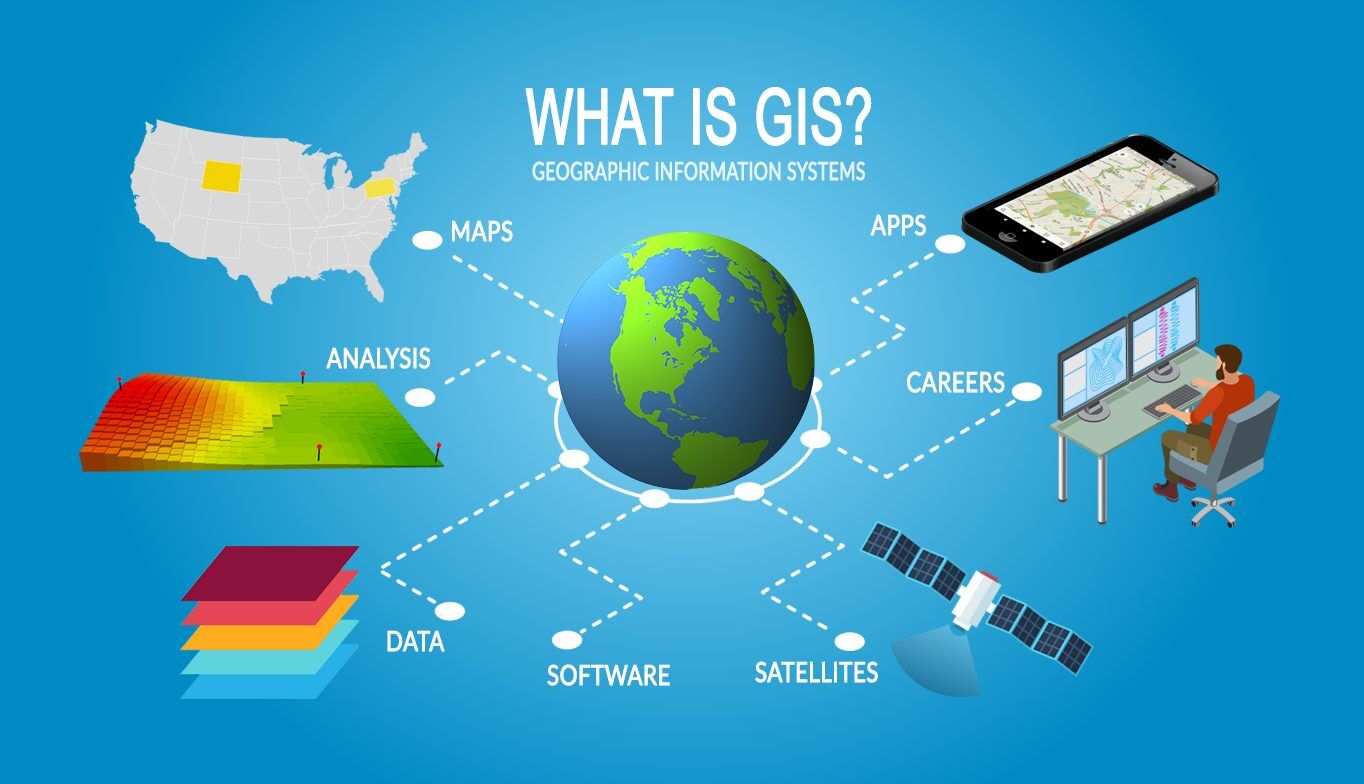
  • Exploring Different Types Of GIS Software

    Exploring Different Types Of GIS Software

    GIS software (or Geographic Information Systems software) is a powerful tool that helps people visualize, analyze, and manage geographic data. It allows users to map out information like land use, terrain, and population density, and then use that data to make strategic decisions. GIS software is used in a variety of industries, such as urban planning, engineering, and environmental protection.

    What is GIS Software?

    GIS software is a digital tool that helps to turn complex data into interactive, visual maps. It is designed to help users to quickly analyze, manage, and visualize geographical information. With GIS software, users can easily map out information like land use, terrain, and population density.

    Read Error 0x0 0x0?- Exactly how to fix it? Special Explanation

    GIS software is used by a variety of organizations and industries, such as government agencies, universities, and businesses. It helps organizations to make informed decisions by providing data that can be used to analyze and predict trends. GIS software can also be used to identify areas of risk or opportunity, plan out new projects, and monitor the success of current projects.

    Benefits of Using GIS Software

    Using GIS software has a number of benefits, including the ability to:

    • Save time. GIS software allows users to quickly collect, organize, and analyze data. This can help to save time and money when planning projects or making decisions.
    • Accurately map out geographical information. GIS software makes it easy to accurately map out geographical information, such as terrain, population density, and land use.
    • Make informed decisions. GIS software helps organizations to make informed decisions by providing data that can be used to analyze and predict trends.
    • Monitor progress. GIS software can be used to monitor the progress of projects, which can help organizations to ensure that projects are on track and within budget.
    • Identify areas of risk or opportunity. GIS software can help to identify areas of risk or opportunity, which can be useful when planning new projects or making decisions.

    Different Types of GIS Software

    There are several different types of GIS software available, including desktop, web-based, and mobile.

    Desktop GIS software is a powerful tool that is typically used by professionals in the field. It is installed on a user’s computer and is capable of handling large amounts of data. Desktop GIS software is typically used by organizations that need to analyze complex data and make informed decisions.

    Web-based GIS software is a cloud-based solution that allows users to access data from any location. It is typically used by organizations that need to share data with multiple users or partners. Web-based GIS software is often used by businesses, government agencies, and universities.

    Mobile GIS software is designed for use on smartphones and tablets. It is typically used by individuals who need to access data while on the go. Mobile GIS software is often used by field teams, such as surveyors and engineers, who need to access data while in the field.

    5 Best GIS Software Companies

    GIS software companies provide a range of sophisticated tools to help organizations analyze, create, and display geographic data. With the right GIS software, organizations can gain insights into their data, better understand their customers, and make informed decisions. With so many GIS software companies out there, it can be difficult to choose the right one. To help you make an informed decision, here is a list of the 5 best GIS software companies.

    First on the list is Esri. Esri is the leading provider of GIS software, with a wide range of products and services. They offer desktop, web, and mobile GIS solutions, as well as cloud-based GIS applications. They also provide a range of training programs and support services. Esri is the ideal choice for organizations looking for a comprehensive GIS solution.

    Second on the list is Autodesk. Autodesk is a leading provider of GIS software for design, engineering, and construction professionals. They offer a range of powerful GIS tools, including 3D mapping, automated analysis, and visualization. Autodesk also provides a range of training and support services.

    Third on the list is MapInfo. MapInfo is a leading provider of GIS software for business and government organizations. They offer a range of powerful GIS tools and services, including data management, analysis, and visualization. They also provide a range of training and support services.

    Forth on list is IamGIS. IamGIS provides a range of GIS software tools and services, as we can read on FintechZoom, including data management, spatial analysis, mapping, and other advanced GIS software capabilities. The company also provides custom GIS software development services, helping customers develop GIS applications that are tailored to their specific needs. With years of experience in GIS software development, IamGIS is one of the most reliable GIS software companies in the market.

    Finally, on the list is Quantum GIS. Quantum GIS is an open-source GIS software that is free to use. It is a powerful GIS tool that can be used for data analysis, visualization, and mapping. It is ideal for organizations looking for a low-cost solution.

    In conclusion, these are the 5 best GIS software companies. Each of these companies offer a range of GIS solutions and services, so choosing the right one is the key to success. With the right GIS software, organizations can gain insights into their data, better understand their customers, and make informed decisions.


    GIS Software Market Overview

    The global GIS software market is estimated to be worth $7.7 billion, and is projected to grow at a compound annual growth rate of 8.8%. The growth of the GIS software market is driven by the increasing demand for GIS data and the ability to quickly analyze and visualize data.

    The global GIS software market is divided into four major segments: desktop, web-based, mobile, and open-source. The desktop segment is the largest, accounting for more than half of the market share. The web-based and mobile segments are growing rapidly, driven by the increasing demand for cloud-based solutions and mobile applications. The open-source segment is the smallest, and is expected to remain small as most GIS software vendors prefer to develop proprietary solutions.

    Popular GIS Software Packages

    There are a number of popular GIS software packages available, including ArcGIS, MapInfo, and QGIS.

    ArcGIS is a powerful GIS software package developed by Esri. It is used by a variety of organizations, including government agencies, universities, and businesses. ArcGIS is capable of handling large amounts of data and is used to visualize, analyze, and manage geographic data.

    MapInfo is a GIS software package developed by Pitney Bowes. It is used by businesses and government agencies to create detailed maps and analyze data. MapInfo is easy to use and offers a variety of features, such as 3D visualization, routing, and terrain analysis.

    QGIS is an open-source GIS software package developed by the Open Source Geospatial Foundation. It is used by a variety of organizations, including businesses, universities, and non-profits. QGIS is a powerful tool that can be used to create detailed maps and analyze data.

    How to Choose the Right GIS Software for Your Needs

    Choosing the right GIS software for your needs can be a daunting task. Here are some tips to help you make the right choice:

    • Determine your needs. Before you start looking for GIS software, it’s important to determine your needs. Think about what type of data you’ll be working with, how you’ll be using the data, and what features you need.
    • Evaluate different GIS software packages. Once you’ve determined your needs, it’s time to start evaluating different GIS software packages. Look for packages that offer the features you need and are within your budget.
    • Consider the support options. GIS software can be complex and difficult to use, so it’s important to consider the support options. Look for vendors that offer training and support services, as well as updates and upgrades.
    • Ask for a demo. Before making a purchase, it’s a good idea to ask for a demo of the GIS software. This will allow you to test out the features and make sure it meets your needs.

    Important Features to Look for in GIS Software

    When looking for GIS software, there are several important features to look for, including:

    • Data analysis tools. GIS software should have powerful data analysis tools that can help you quickly analyze and visualize data.
    • Visualization tools. GIS software should have visualization tools that can help you create detailed maps and graphics.
    • Automation. GIS software should have automation capabilities that can help you save time and money.
    • Collaboration tools. GIS software should have collaboration tools that can help you share data with other users or partners.
    • Security. GIS software should have security features that can help protect your data and prevent unauthorized access.

    Tips for Getting the Most Out of GIS Software

    Getting the most out of GIS software requires an understanding of the features and a willingness to explore. Here are some tips to help you get the most out of GIS software:

    • Understand the features. GIS software is a powerful tool, but it’s important to understand the features and how to use them. Take time to learn about the features and practice using them.
    • Use data sources. GIS software is only as good as the data it’s using. Make sure to use reliable data sources to ensure accuracy.
    • Keep up with updates. GIS software is constantly evolving, so it’s important to keep up with updates and new features.
    • Use visualization tools. GIS software has powerful visualization tools that can help you create detailed maps and graphics.
    • Automate processes. GIS software has automation capabilities that can help you save time and money.

    GIS Software Resources

    If you’re looking for more information about GIS software, there are a number of resources available. Here are some of the best GIS software resources:

    • Esri’s GIS Software Guide: Esri’s GIS software guide provides an overview of the different types of GIS software, as well as tips for choosing the right software for your needs.
    • MapInfo’s GIS Software Guide: MapInfo’s GIS software guide provides an overview of the different types of GIS software, as well as tips for choosing the right software for your needs.
    • QGIS Documentation: The QGIS Documentation provides an overview of the different features of the QGIS software, as well as tutorials and best practices.
    • GIS Software Reviews: GIS software reviews provide an unbiased look at the different GIS software packages.
    • GIS Software Blogs: GIS software blogs provide tips and tricks for getting the most out of GIS software.

    Conclusion

    GIS software is a powerful tool that helps people visualize, analyze, and manage geographic data. It is used in a variety of industries, such as urban planning, engineering, and environmental protection. There are several different types of GIS software available, including desktop, web-based, and mobile.

    When choosing GIS software, it’s important to determine your needs and evaluate different packages. Look for packages that offer the features you need and are within your budget. It’s also important to consider the support options and ask for a demo before making a purchase.

    Finally, it’s important to understand the features and use data sources to ensure accuracy. Keep up with updates and use visualization tools to get the most out of GIS software.

    GIS software is a powerful tool that can help you make informed decisions and monitor progress. If you’re looking for more information about GIS software, there are a number of resources available, such as Esri’s GIS Software Guide, MapInfo’s GIS Software Guide, the QGIS Documentation, GIS software reviews, and GIS software blogs.

  • Amazon Echo – What it Is and How to Use It

    Amazon Echo – What it Is and How to Use It

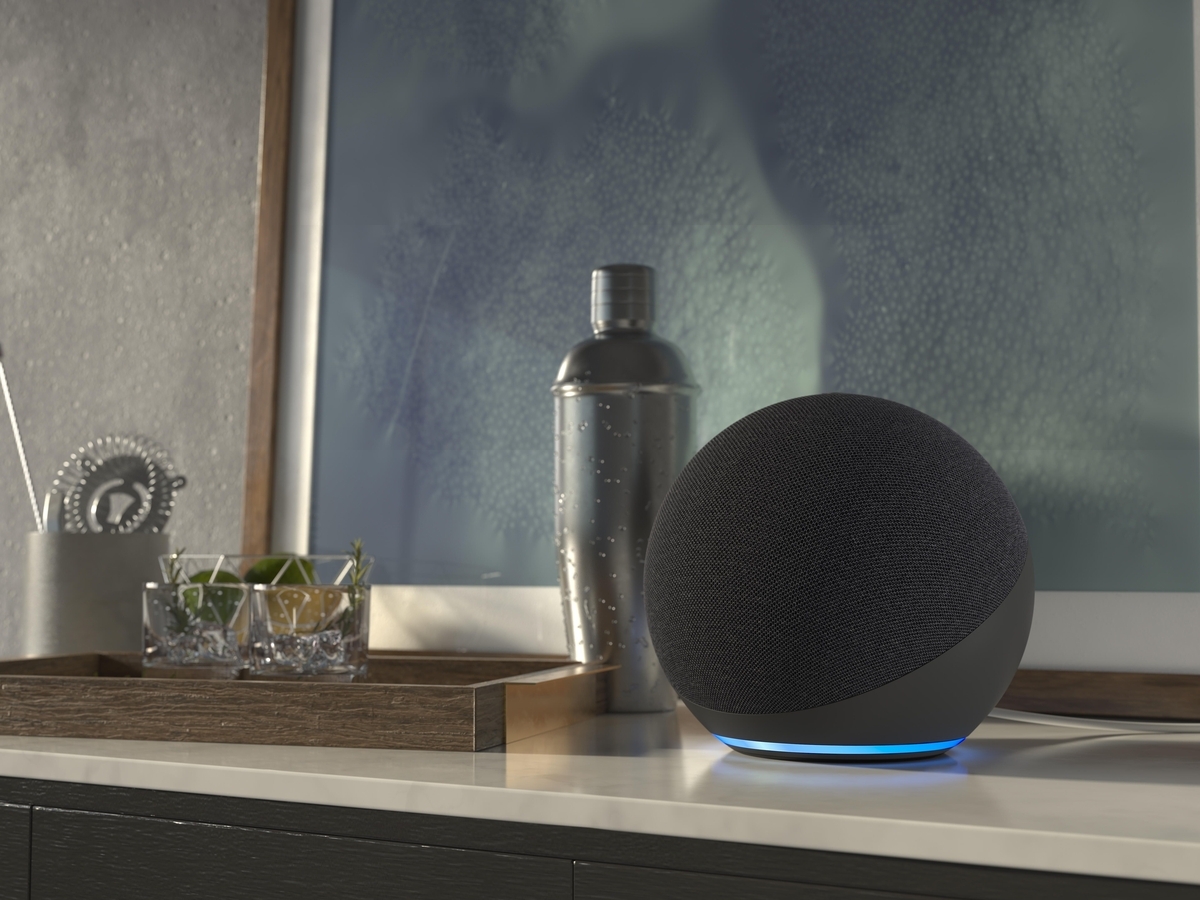
    The Echo smart speaker by Amazon is one of the most popular devices in the smart home right now. Despite the fact that it has been available since late 2014, the Echo has only become more and more popular. It’s easy to see why – this little device can do so much. You can ask your Echo questions, play music from Spotify or Pandora, check the weather, read news headlines, control your home appliances and much, much more. With so many features and capabilities packed into a small package, it’s understandable that some people have trouble figuring out what an Amazon Echo is and how to use one. Once you get acquainted with this nifty little device though things will start falling into place quickly. In this article we’ll take a look at everything you need to know about Amazon’s Echo smart speaker along with suggestions on how to get started with it once you own one of these cute gadgets

    What is an Echo?

    The Echo is a cylindrical smart speaker that wirelessly connects to your Wi-Fi network. It’s a hands-free speaker that lets you ask questions, play music, control your smart home devices, read the news and more all with just your voice. The Echo is equipped with the Alexa Voice Assistant, which means it can understand your voice and respond to you as if a friend is speaking to you. There are dozens of Skills available for Alexa that allow you to do everything from playing games to ordering food. The Amazon Echo is one of the best smart speakers you can buy.

    Alexa – The Voice Behind the Echo

    Alexa is the name of the voice that powers your Echo device. Alexa is always listening, so you can use your voice to find information, set alarms, order food and drinks, control your home’s devices and much, much more. Alexa supports hundreds of Skills, which allow you to do all kinds of things. For example, you can ask Alexa to play music, control your lights and thermostat, read the news headlines, control your smart home and more. Alexa gives you access to dozens of Skills that allow you to do everything from ordering food to asking questions and getting sports scores. You can also create Skills and upload them to the Alexa Skill Store to let other people use them too.

    How to Set Up Your Amazon Echo

    Setting up an Echo is easy. First, you’ll need to connect your Echo to a power source. After that, you’ll need to connect the Echo to your Wi-Fi network and then turn on the Bluetooth feature on your Echo. Once both of these things are done, you can start setting up your voice assistant. The Echo has a very simple setup process. First, you’ll need to press the power button half-way to wake it up. Then, you’ll need to say your PIN. If you’ve never set up an Alexa device before, you can find the PIN on the bottom of your Echo. You can also find your PIN on the settings section of your Echo. After that, you can start setting everything up. To find Alexa’s skills, go to your Echo settings screen and select the Alexa option.

    Saying Hello to Alexa

    To start using Alexa, you’ll need to say “Alexa” to get her attention. After that, you can start asking questions and controlling your smart home devices. If you want to talk to Alexa, you can also say, “Alexa,” “Alexa, open,” “Alexa, turn on,” or “Alexa, off.” You can also say, “Alexa, what’s the weather like today?” “Alexa, play my music,” or “Alexa, play Bruno Mars.” You can also say things like, “Alexa, I’m hungry,” or “Alexa, I want pizza.” To get more specific commands, you can say, “Alexa, order me a vegetarian pizza from Domino’s,” or “Alexa, play my Sesame Street playlist” To pause your music, say, “Alexa, pause my music,” or “Alexa, play my song from the start.” You can also say things like, “Alexa, when is my next appointment?” or “Alexa, what is the traffic like on the highway?”

    Read What is the Difference Between Blink and Ring? Which One Should You Buy?

    List of Alexa Skills You Can Use with an Echo

    The list of Skills available on the Alexa website is massive. You can find hundreds of Skills that let you ask questions, check the weather, play music, control your smart home devices and more. You can also find a Skill that lets you talk to Alexa like a dog. There are Skills to control Amazon Fire TV devices, to control your lights and thermostat, to play music, and so much more. You can also find Skills that let you use with Echo devices other than the original Echo speaker. You can find Skills that let you control an Echo device using the Alexa mobile app, or an Alexa-enabled device like a Smart TV or something else.

    Conclusion

    The Amazon Echo is one of the most popular smart home devices on the market. It’s a hands-free speaker that lets you ask questions, play music, control your smart home devices, read the news and more all with just your voice. The Echo is equipped with the Alexa Voice Assistant, which means it can understand your voice and respond to you as if a friend is speaking to you. There are dozens of Skills available for Alexa that allow you to do everything from ordering food to asking questions and getting sports scores. The Echo is easy to set up and use, and it also has a ton of great features. The Echo is a great choice for anyone who wants to control their home with the sound of their voice, or anyone who just wants to play music or listen to the news while they cook or clean.

  • Unlock the Potential of a Smart Home with the Google Home Hub!

    Unlock the Potential of a Smart Home with the Google Home Hub!

    Are you wondering how to turn your home into a smarter and more connected living space? If so, the Google Home Hub is the perfect solution! With the Google Home Hub, you can unlock the potential of a smart home and get access to a host of features that make life easier – it’s the Internet of Things in your home. This guide will give you an overview of the Google Home Hub and provide tips on how to set it up and get the most out of it. So let’s get started!

    Introduction to Smart Homes

    A smart home is a home that is equipped with a range of internet-connected devices that can be controlled remotely. This means that you can turn on lights, set the thermostat, lock doors, and even control appliances from your phone or computer. Smart homes, like Smart Cities, also have advanced security features, such as motion sensors and doorbell cameras, that allow you to monitor your home from anywhere.

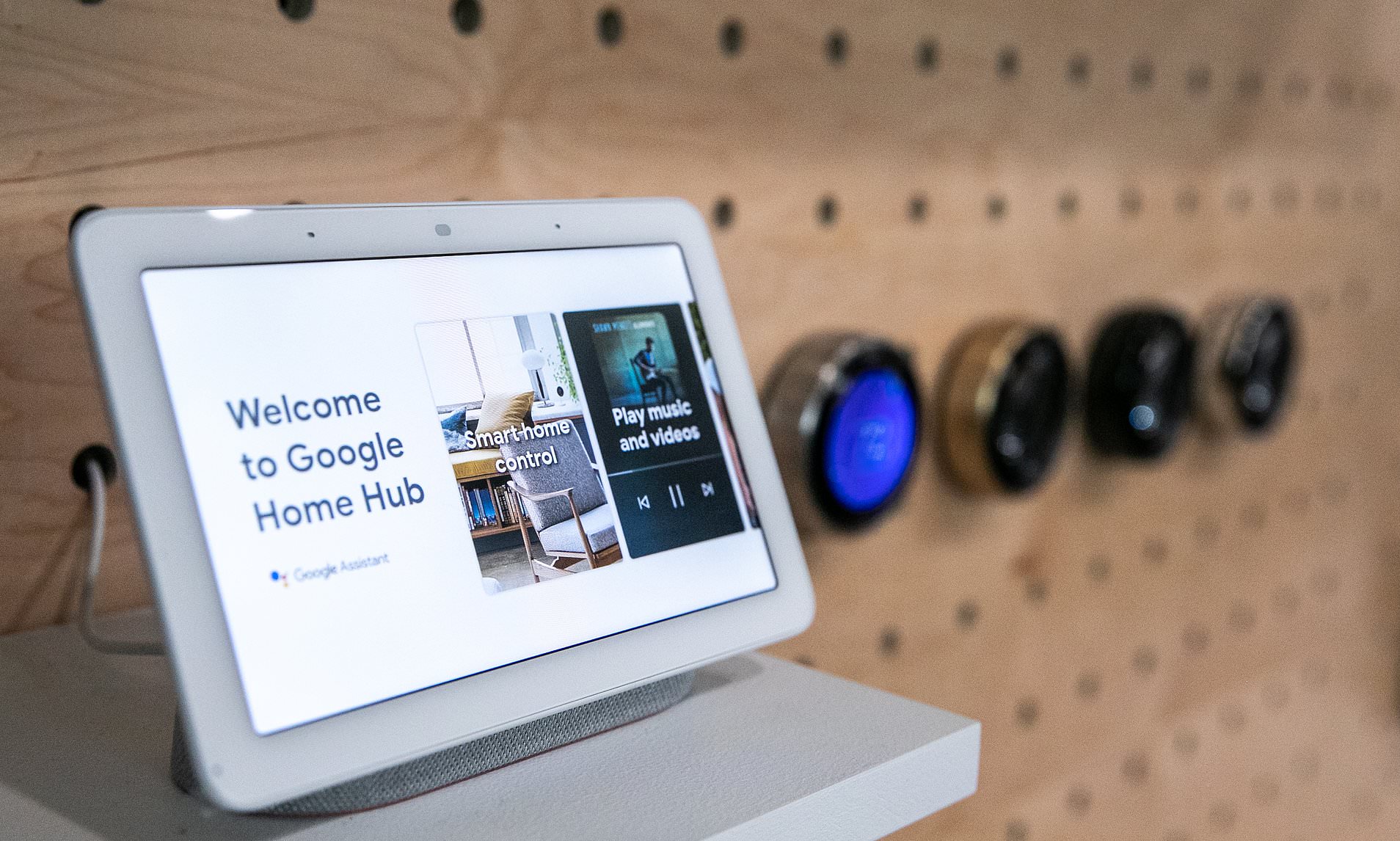
    The Google Home Hub is a smart home device that connects to your Wi-Fi network and allows you to control and manage your smart home. It has a built-in speaker and microphone, so you can use voice commands to control your devices. The Google Home Hub also has a 7-inch touchscreen display, which makes it easy to view and manage your smart home devices.

    Understanding the Google Home Hub

    The Google Home Hub is a voice-controlled device that allows you to control and manage your smart home. It is powered by the Google Assistant, which is a virtual assistant that can answer questions, set reminders, and control your smart home devices. The Google Home Hub connects to your Wi-Fi network and can be used to control a range of smart home devices, such as lights, thermostats, and security cameras.

    The Google Home Hub is a compact device with a 7-inch display. It has a 2MP camera and a built-in speaker and microphone, so you can use voice commands to control your devices. The Google Home Hub also has access to a range of third-party services, such as Netflix and Spotify.

    Benefits of Using the Google Home Hub

    The Google Home Hub offers a range of benefits for users. Firstly, it is easy to set up and use. All you have to do is plug in the device and connect it to your Wi-Fi network. Once it is connected, you can use the Google Home app to control and manage your smart home.

    The Google Home Hub also offers a range of features and services. For example, it can be used to control lights, thermostats, and other smart home devices. It also has access to a range of third-party services, such as Google Maps and Spotify. Additionally, it can be used to control and manage a range of Google products, such as Chromecast and Nest.

    The Google Home Hub also offers a range of security features. It has a built-in camera and microphone, so you can monitor your home from anywhere. It also has a two-factor authentication system, so you can be sure that your home is secure.

    Smart Home Features Enabled by Google Home Hub

    The Google Home Hub can be used to control a range of smart home devices, such as lights, thermostats, security cameras, and appliances. It can also be used to control a range of Google products, such as Chromecast and Nest. Additionally, the Google Home Hub has access to a range of third-party services, such as Netflix and Spotify.

    The Google Home Hub also has a range of security features. It has a built-in camera and microphone, so you can monitor your home from anywhere. It also has a two-factor authentication system, so you can be sure that your home is secure. Additionally, the Google Home Hub has a range of features that can help you save energy and money. For example, it can be used to control lights and thermostats, so you can save energy and money on your utility bills.

    Setting Up and Configuring the Google Home Hub

    Setting up and configuring the Google Home Hub is easy. All you have to do is plug in the device and connect it to your Wi-Fi network. Once it is connected, you can use the Google Home app to control and manage your smart home.

    To set up the Google Home Hub, you will need to download the Google Home app. Once you have installed the app, you can follow the on-screen instructions to connect the device to your Wi-Fi network. Once it is connected, you can use the app to control and manage your smart home devices.

    The Google Home app also allows you to configure the Google Home Hub. You can adjust the settings to suit your preferences, such as setting voice commands and managing connected devices. Additionally, you can set up a range of third-party services, such as Netflix and Spotify.

    Connecting Devices to the Google Home Hub

    The Google Home Hub can be used to connect a range of devices to your Wi-Fi network. To connect a device, you will need to use the Google Home app. Once you have installed the app, you can follow the on-screen instructions to connect the device.

    Once the device is connected, you can use the Google Home app to control it. For example, you can use the app to turn lights on and off, set the thermostat, lock doors, and even control appliances. Additionally, you can use the app to manage and configure your connected devices.

    Managing Your Smart Home with the Google Home Hub

    The Google Home Hub makes it easy to manage your smart home. You can use the Google Home app to control and manage your devices. Additionally, the Google Home Hub has a range of features that can help you save energy and money. For example, it can be used to control lights and thermostats, so you can save energy and money on your utility bills.

    The Google Home Hub also makes it easy to stay connected. You can use the Google Home app to control a range of third-party services, such as Netflix and Spotify. Additionally, the Google Home Hub has a range of security features, such as motion sensors and doorbell cameras, that allow you to monitor your home from anywhere.

    Troubleshooting and Support for the Google Home Hub

    The Google Home Hub is easy to set up and use, but if you have any problems, there is a range of support options available. If you have any technical issues, you can contact the Google Home support team for help. Additionally, there is a range of online resources available, such as user guides and tutorials, that can help you troubleshoot any issues.

    If you have any problems setting up or using the Google Home Hub, you can contact the Google Home support team. The team can provide technical support and advice on how to get the most out of the device. Additionally, there are a range of online resources available, such as user guides and tutorials, that can help you troubleshoot any issues.

    Integrating Third-Party Services with the Google Home Hub

    The Google Home Hub can be used to control a range of third-party services, such as Netflix and Spotify. To use these services, you will need to download the corresponding app and sign in with your account. Once you have done this, you can use the Google Home app to control the service.

    Additionally, the Google Home Hub can be used to control a range of Google products, such as Chromecast and Nest. To use these products, you will need to download the corresponding app and sign in with your account. Once you have done this, you can use the Google Home app to control the product.

    Conclusion

    The Google Home Hub is a great way to turn your home into a smarter and more connected living space. It has a range of features and services, such as voice control, security features, and access to third-party services. It is also easy to set up and use, so you can get the most out of your smart home.

    So if you are looking to unlock the potential of a smart home, the Google Home Hub is the perfect solution. With the Google Home Hub, you can control and manage your smart home with ease. So what are you waiting for? Get your Google Home Hub today and start unlocking the potential of a smart home!

  • The Benefits of Smart Home Devices: Unlock the Possibilities of a Connected Home

    The Benefits of Smart Home Devices: Unlock the Possibilities of a Connected Home

    Are you looking to upgrade your home with the latest technologies? Smart home devices are among the most popular and innovative inventions of the modern era. These intelligent devices have revolutionized the way we interact with our homes and are making our lives much easier. From security cameras to smart lights, the possibilities are endless when it comes to smart home technology. In this blog, we’ll explore the benefits of smart home devices, their security, the top devices to consider, tips for setting them up, compatibility issues, and courses for setting up and using them. Let’s dive in!

    What are Smart Home Devices?

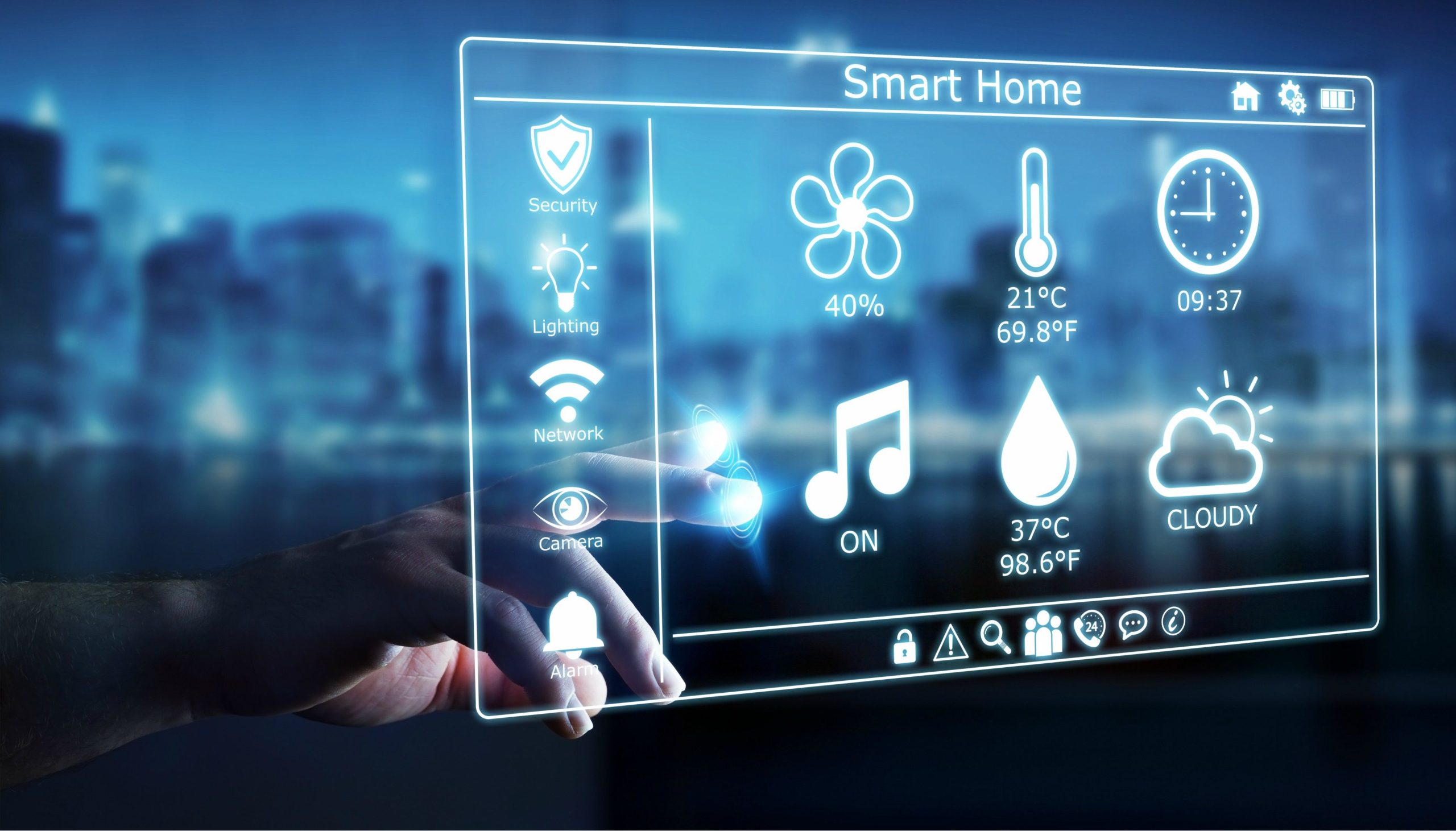
    Smart home devices are a type of technology that can be connected to the internet of things and controlled remotely. This allows you to control your home from anywhere in the world using your smartphone, tablet, or computer. Smart home devices come in a variety of shapes and sizes, from lightbulbs and security cameras to thermostats and door locks.

    These devices can be used to automate tasks such as turning on the lights, setting the temperature, or even locking the front door. They can also be used to monitor your home for security purposes, allowing you to keep an eye on your property even when you’re away. With a smart home, you can rest assured that your home automation is safe and secure.

    Benefits of Smart Home Devices

    Smart home devices offer a wide range of benefits that make them a great addition to any home. Here are just a few of the advantages of owning a smart home:

    • Convenience: Smart home devices make everyday tasks much easier. With just a few taps on your smartphone, you can control the temperature, lights, and security systems in your home. This eliminates the need to manually adjust settings and makes life much more convenient.
    • Energy Efficiency: Smart home devices can help you save energy by automatically turning off lights and appliances when they’re not in use. This can help reduce your energy bills and protect the environment.
    • Security: Smart home devices can be used to monitor your home for security purposes, allowing you to keep an eye on your property even when you’re away. This can help deter burglars and give you peace of mind.

    Smart Home Device Statistics

    Smart home devices are becoming increasingly popular. According to a report from Statista, the global smart home market is expected to reach $53.45 billion by 2022. In addition, the report found that the number of smart home device users is expected to grow from 462 million in 2018 to 974 million by 2021.

    These statistics show that the market for smart home devices is growing rapidly. This is likely due to the increasing availability of devices and the growing demand for convenience and security.

    Smart Home Device Security

    When it comes to security, it’s important to be aware of the potential risks associated with smart home devices. As with any connected device, smart home devices are vulnerable to cyberattacks. Hackers may be able to access your home network and gain access to your personal data.

    Fortunately, there are several steps you can take to protect your smart home from cyberattacks. Make sure to use strong passwords for all of your devices and avoid connecting to public Wi-Fi networks. You should also use encryption for any data that you store on your devices. Finally, you should keep your devices up to date with the latest security patches.

    The Top Smart Home Devices

    When it comes to setting up a smart home, there are a variety of devices to choose from. Here are some of the top smart home devices that you should consider:

    • Smart Lights: Smart lights allow you to control the lighting in your home remotely. You can set them to turn on and off at certain times, dim them, or even change the colors.
    • Smart Thermostats: Smart thermostats can help you save energy by automatically adjusting the temperature in your home. They can also be programmed to turn on and off at certain times.
    • Security Cameras: Security cameras are one of the most important smart home devices. They allow you to monitor your home for security purposes, giving you peace of mind when you’re away.
    • Smart Locks: Smart locks allow you to lock and unlock your doors remotely. This can be a great way to make sure that your home is secure when you’re away.

    Tips for Setting Up a Smart Home Device

    Setting up a smart home can be a daunting task. Here are some tips to help you get started:

    • Start small: You don’t need to buy all of the latest gadgets to have a smart home. Start with a few basic devices such as smart lights and a thermostat.
    • Research your options: Spend some time researching the different devices available and compare features. Consider both budget and features when making your decision.
    • Get help: If you’re having trouble setting up your devices, don’t hesitate to seek help. Many companies offer guides and tutorials to help you get started.

    Smart Home Device Compatibility

    One of the most important things to consider when buying smart home devices is compatibility. Not all devices are compatible with each other, so it’s important to make sure that the devices you choose are compatible with your existing technology.

    The best way to ensure compatibility is to buy devices from the same manufacturer. This ensures that all of your devices will work together seamlessly. You should also make sure to check reviews and do your research before making a purchase.

    Courses for Setting Up and Using Smart Home Devices

    If you’re interested in setting up a smart home, there are a variety of courses available to help you. These courses can teach you the basics of setting up and using smart home devices, as well as more advanced topics such as security and automation.

    These courses can be taken online or in person. They range from short tutorials to multi-week courses. No matter your level of expertise, there’s sure to be a course that’s right for you.

    FAQs About Smart Home Devices

    Q: Are smart home devices secure? A: Yes, smart home devices are generally secure. To ensure the security of your devices, make sure to use strong passwords and keep your devices up to date with the latest security patches.

    Q: What are the benefits of smart home devices? A: Smart home devices offer a wide range of benefits, including convenience, energy efficiency, and security. They can also help you save time and money by automating everyday tasks.

    Q: What are the top smart home devices? A: Some of the top smart home devices include smart lights, thermostats, security cameras, and locks.

    Conclusion

    Smart home devices are becoming increasingly popular, and it’s easy to see why. They offer a wide range of benefits, from convenience and energy efficiency to security. With the right devices, you can transform your home into an automated, connected space that’s secure and efficient.

    If you’re thinking of setting up a smart home, make sure to do your research and choose devices that are compatible with each other. You should also consider taking a course to learn the basics of setting up and using smart home devices.

    Now that you know the benefits of smart home devices and how to set them up, why not give them a try? Unlock the possibilities of a connected home with smart home devices and make your life easier.

    Are you ready to get started? [CTA]

  • Unlock the Potential of Home Automation – Transform Your Home Today!

    Unlock the Potential of Home Automation – Transform Your Home Today!

    Have you ever wished you could control your home with the press of a button? Home automation has made that dream a reality! Home automation technology is becoming increasingly popular due to its ability to provide convenience, security, and energy savings. Whether you’re looking to install a full home automation system or just add a few smart home devices, this article will explore the different types of home automation technology and provide tips on selecting and installing the right system for your home.

    What is Home Automation?

    Home automation is the automation of various home systems and appliances. It involves the use of devices and software to control and manage a wide range of home functions, from lighting and temperature control to security and entertainment. Home automation can be divided into two categories: active and passive. Active home automation systems allow users to control their home with the press of a button, while passive home automation systems are designed to work autonomously, without requiring direct user input.

    There are a variety of home automation systems available on the market today, from simple DIY solutions to sophisticated, integrated systems. Home automation can be used to control lights, appliances, security systems, HVAC systems, and more. With the help of home automation, you can set customized schedules for different devices and activities, as well as remotely monitor and control them.

    Benefits of Home Automation

    Home automation offers a wide range of benefits to homeowners. For one, it can increase the security of your home by allowing you to monitor and control your home remotely. You can also save energy and money by setting up automated schedules for your devices and appliances, so they only run when you need them.

    Home automation can also make life more convenient. You can use home automation to control your lights, music, and other devices from anywhere in the world. This means you can turn on the lights in your living room from the comfort of your bed, or play your favorite music from your smartphone.

    Finally, home automation can make your home more comfortable. You can adjust the lighting and temperature of your home to create the perfect atmosphere for any occasion. You can also set up automated alerts to keep you updated on events such as power outages, carbon monoxide levels, and more.

    Types of Home Automation Systems

    There are a variety of home automation systems available on the market today. The most common types of home automation systems include:

    • Standalone Systems: Standalone systems are the simplest type of home automation system. These systems are usually composed of a controller and sensors, which can be used to control lighting, temperature, and other devices. Standalone systems are easy to install and maintain, making them a great option for DIYers.
    • Home Network Systems: Home network systems are more complex than standalone systems, as they allow you to connect multiple devices and sensors to a single network. These systems are usually controlled by a single hub or gateway, which can be used to control all the devices and sensors in your home. Home network systems are typically more expensive than standalone systems, but they offer greater control and flexibility.
    • Smart Home Platforms: Smart home platforms are the most advanced type of home automation system. These platforms are composed of a variety of connected devices and sensors, which can be used to control and monitor your home. Smart home platforms are typically the most expensive type of home automation system, but they offer the greatest level of control and flexibility.

    Home Automation Technology Innovations

    The home automation industry is constantly evolving, with new technologies and products being released every year. There are a number of new innovations in home automation technology, including voice-activated systems, wireless sensors, and intelligent lighting systems.

    Voice-activated systems allow users to control their home with the sound of their voice. These systems are typically connected to a voice assistant, such as Amazon Alexa or Google Home. With these systems, you can use voice commands to control your lights, thermostat, security system, and more.

    Wireless sensors are another new technology in home automation. These sensors are small, battery-powered devices that can be placed around your home to monitor and detect changes in temperature, humidity, and other environmental factors. These sensors can also be used to detect motion and sound, allowing you to keep an eye on your home when you’re not there.

    Finally, intelligent lighting systems are becoming increasingly popular in home automation. These systems allow you to control and adjust the lighting in your home with the press of a button. You can set up custom lighting scenes to create the perfect atmosphere for any occasion.

    Selecting the Best Home Automation System for Your Home

    When selecting a home automation system, it’s important to consider your needs and budget. Standalone systems are usually the most affordable option, but they offer limited control and flexibility. Home network systems offer more control and flexibility, but they are usually more expensive. Smart home platforms are the most expensive, but they offer the greatest control and flexibility.

    It’s also important to consider the type of devices and sensors you want to control. Different home automation systems support different types of devices, so make sure to do your research before you buy. Once you’ve chosen a system, you’ll need to purchase compatible devices and sensors.

    Finally, consider the installation process. Standalone systems are usually the easiest to install, while home network systems can be more complicated. Smart home platforms are the most complex, as they require the installation and setup of multiple devices and sensors.

    Home Automation Installation Tips

    Once you’ve selected a home automation system and purchased the necessary devices and sensors, it’s time to install them. Here are a few tips to make the installation process easier:

    • Read the instructions carefully and follow them step-by-step.
    • Make sure all the devices and sensors are compatible with your home automation system.
    • Take your time and double-check all the connections.
    • Test each device and sensor before you move on to the next one.
    • Make sure to secure all the devices and sensors to prevent them from being tampered with.

    Home Automation Safety Considerations

    When installing a home automation system, it’s important to consider safety. Home automation systems involve the use of electrical devices and wiring, which can be dangerous if not handled properly. Here are a few safety tips to keep in mind:

    • Make sure all the devices and sensors are installed in accordance with local building codes.
    • Avoid installing devices and sensors in wet or damp areas.
    • Make sure all the wiring is properly insulated to prevent shocks.
    • Make sure to label all the wiring and devices to prevent confusion.
    • Test all the devices and sensors after installation to make sure they are working properly.

    Home Automation Cost Comparison

    The cost of a home automation system can vary significantly depending on the type of system you choose and the number of devices and sensors you need. Standalone systems are usually the most affordable option, while home network systems and smart home platforms are usually more expensive. It’s also important to consider the cost of the devices and sensors, as these can quickly add up.

    Home Automation Trends for the Future

    Home automation technology is constantly evolving, and new trends are emerging every year. In the near future, we can expect to see more widespread use of wireless sensors, voice-activated systems, and intelligent lighting systems. We can also expect to see more integration between home automation systems and other technologies, such as artificial intelligence and the Internet of Things.

    Conclusion

    Home automation technology is becoming increasingly popular due to its ability to provide convenience, security, and energy savings. There are a variety of home automation systems available, from simple DIY solutions to sophisticated, integrated systems. When selecting a home automation system, it’s important to consider your needs and budget. Once you’ve selected a system, make sure to follow safety guidelines and take your time when installing it.

    If you’re interested in transforming your home with the power of home automation, now is the perfect time to get started! Unlock the potential of home automation and start transforming your home today!

    If you need help selecting and installing the right system for your home, [contact us today] and our team of experts will be happy to assist you.

  • Exploring the Benefits of Connected Cars: How They Are Changing the Future of Transportation

    Exploring the Benefits of Connected Cars: How They Are Changing the Future of Transportation

    The car is no longer a standalone mode of transportation: welcome to the Internet of Things! With the advent of connected car technology, vehicles now have the ability to communicate with each other and the world around them. This has revolutionized the landscape of transportation, providing drivers with a wide variety of advantages that are transforming the future of travel. Connected cars provide new capabilities such as real-time traffic updates, improved safety features, and increased connectivity to other services such as entertainment and navigation. In addition, connected cars are helping to reduce emissions and conserve fuel, marking them as an integral part of any sustainable transportation plan. As connected car technology continues to evolve, the possibilities are endless. With new developments such as autonomous vehicles, connected cars are becoming an integral part of our lives, offering drivers a unique and improved experience on the road.

    Definition of Connected Cars

    A connected car is a vehicle that has the ability to communicate with other cars, as well as with its surrounding environment. This technology allows connected cars to send and receive data to and from other vehicles, traffic management systems, and other roadside infrastructure such as traffic lights. In general, there are two types of connected cars: On-board connected cars represent the majority of vehicles on the road today. Drivers can utilize connected car technology in a number of ways, such as receiving real-time traffic updates, accessing maps and directions, and listening to podcasts. Off-board connected cars are expected to grow significantly in the coming years. These cars are capable of communicating with other vehicles and the environment outside of the car, as well as receiving information from them. In addition, off-board connected cars can communicate with other roadside infrastructure such as traffic lights. Currently, the technology for off-board connected cars is still being developed and is expected to become more widely available in the future.

    Benefits of Connected Cars

    Connected cars provide drivers with a number of advantages that improve their driving experience and the way they interact with their vehicles. These benefits are expected to continue growing as technology advances, further revolutionizing the way that people travel. Below are some of the many benefits of connected cars.

    Real-Time Traffic Updates – Connected cars are capable of communicating with other vehicles and roadside infrastructure. This allows drivers to receive real-time traffic updates, providing them with information on road conditions and the likelihood of traffic jams along their route. These real-time traffic updates can be integrated into navigation systems, providing drivers with the most efficient route to their destination.

    Better Safety Features – Connected cars are equipped with advanced safety features that can help drivers avoid accidents and dangerous situations. These features include automatic emergency braking, lane departure warning systems, blind spot detection, and collision avoidance systems.

    Connectivity to Other Services – In addition to safety features, connected cars are capable of connecting to other devices and services, providing drivers with a wide range of functionality. These connected cars can be integrated with a number of existing services, such as navigation, music streaming services, emergency services, and more.

    Reduction of Emissions – As cars are able to communicate with one another and the surrounding environment, they are better able to avoid harmful emissions. This reduction of emissions has a significant impact on the environment, making connected cars a key component of any sustainable transportation plan.

    Autonomous Vehicles – Autonomous vehicles are complete connected cars that are fully capable of driving themselves. This level of self-driving technology is not expected to be widely available for many years to come, but it is expected to provide drivers with safer and more efficient experiences on the road.

    The Future of Connected Cars The future of connected cars is wide open, with new developments and technologies expected to transform the landscape of travel. With new developments such as autonomous vehicles, connected cars are becoming an integral part of our lives, offering drivers a unique and improved experience on the road.

    How Connected Cars Improve Safety

    Connected cars are capable of sharing information with other connected cars and devices such as traffic lights. This communication between vehicles and the surrounding environment enables connected cars to improve safety. By sharing this information, connected cars are better able to react to potential hazards and drive defensively, resulting in fewer accidents. In addition, connected cars are capable of receiving safety alerts and notifications when they are not in use. This enables connected cars to receive information about potential hazards such as extreme weather conditions or road closures, allowing the vehicle to take appropriate action. For example, if a connected car detects black ice, it will send a message to other nearby connected cars to let them know about the hazard so that they can adjust their speed. These connected car features are expected to continue growing and improving, enabling vehicles to respond to potential hazards even more quickly, potentially saving hundreds of thousands of lives each year.

    Real-Time Traffic Updates

    While driving, if you come across unexpected traffic jams or road closures, you are unable to change the situation. However, with real-time traffic updates, connected cars are capable of sharing this information with other drivers, allowing them to make the appropriate adjustments to their route. This real-time traffic information can be integrated into navigation systems, allowing drivers to make informed decisions about their route. It is important to note that connected car real-time traffic updates will not replace traditional forms of traffic reporting. Instead, they will complement existing systems, providing a more accurate and comprehensive view of traffic conditions across the entire region. As this technology continues to grow, real-time traffic updates are expected to provide drivers with even more detailed information, including the cause of the traffic jam or the expected duration of the delay. Real-time traffic updates are expected to become increasingly valuable as the number of connected cars on the road increases.

    Connectivity to Other Services

    In addition to real-time traffic updates, connected cars are capable of connecting to a number of existing services, such as navigation, music streaming services, emergency services, and more. This level of connectivity enables users to utilize all of the features of their connected car from one place, providing a more convenient and streamlined experience. For example, when a driver plugs her phone into the car to play music, she can select which services she would like to use. This allows her to stream music from her current music streaming service, but also allows her to utilize functionality from the connected car, such as receiving directions, seeing the current time and weather, and more. This level of connectivity provides drivers with a wide range of functionality from their connected car, while still allowing them to use their preferred services.

    Reduction of Emissions

    When cars are able to communicate with one another and the surrounding environment, they are better able to avoid harmful emissions. This reduction of emissions has a significant impact on the environment, making connected cars a key component of any sustainable transportation plan. With more connected cars on the road, there will be fewer vehicles releasing harmful emissions into the environment. Additionally, connected car technology has the ability to optimize the driving styles of all vehicles on the road, resulting in further reductions in emissions. This optimized driving style is expected to play a significant role in the reduction of emissions from vehicles, with the potential to save hundreds of thousands of tons of carbon dioxide each year.

    Autonomous Vehicles

    Autonomous vehicles are complete connected cars that are fully capable of driving themselves. This level of self-driving technology is not expected to be widely available for many years to come, but it is expected to provide drivers with safer and more efficient experiences on the road. Autonomous vehicles are expected to become increasingly common as technology advances and connected car technology continues to evolve. Autonomous vehicles are expected to provide a wide range of benefits, including lower accident rates, less traffic congestion, and more optimized driving styles. Autonomous vehicles provide numerous advantages over traditional vehicles, making them an attractive option for future transportation systems.

    The Future of Connected Cars

    The future of connected cars is wide open, with new developments and technologies expected to transform the landscape of travel. With new developments such as autonomous vehicles, connected cars are becoming an integral part of our lives, offering drivers a unique and improved experience on the road.